 Softbooq
Finance & Accounting
Softbooq GoEvery invoice you send, every bill you pay, every version of both.
Not a ledger with an invoice form bolted on. An invoice arrives by scan or email, is read, triaged, matched against its purchase order, posted, chased, corrected under the rules of your market, and archived with every version it ever had. Sales, payroll, project time and depreciation post into the same books while it happens.
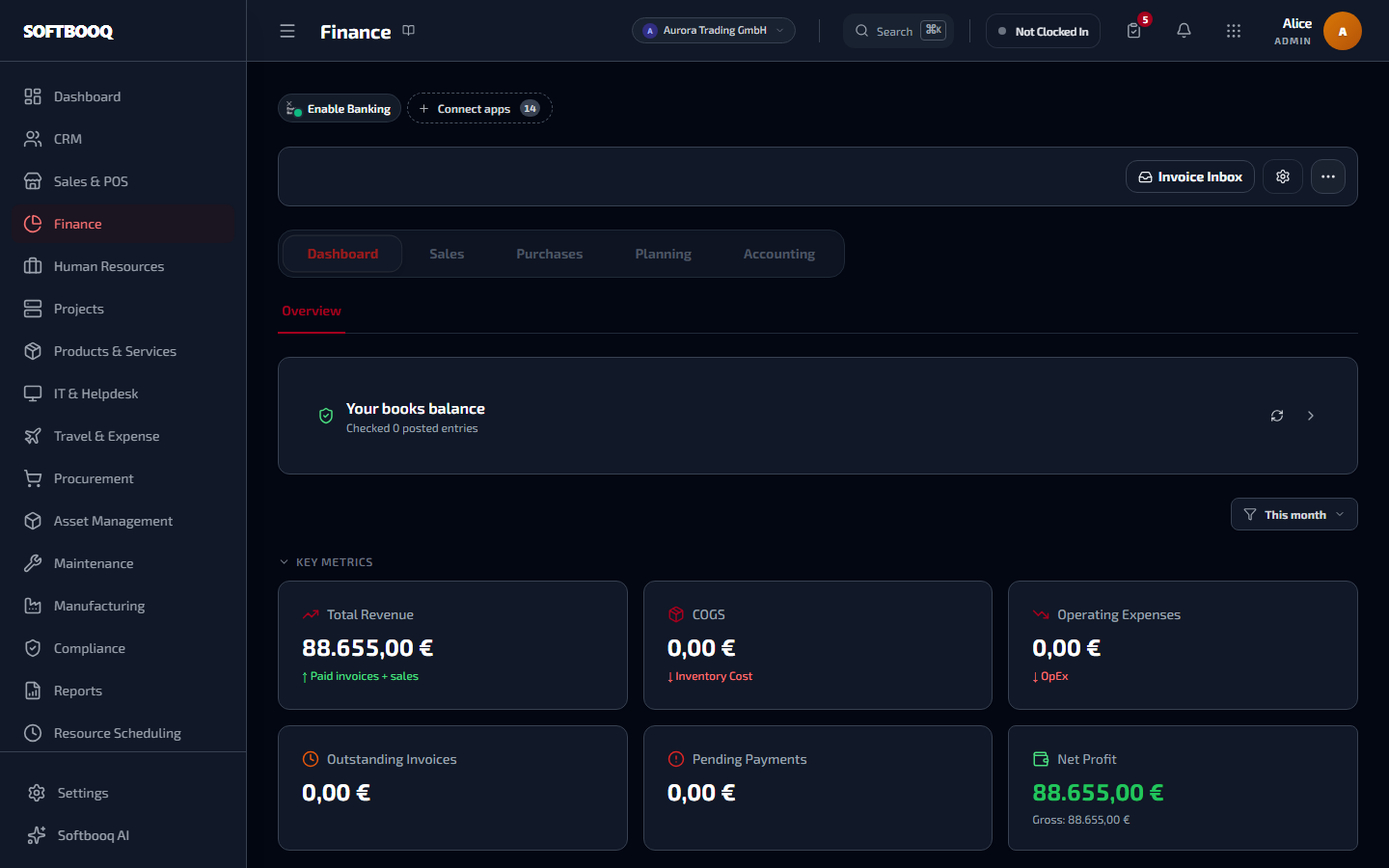
An unretouched screenshot from a live workspace.
01
An invoice, from the moment it arrives to the day it is archived
Most systems treat an invoice as a row that gets a status. This treats it as a document with a life: how it got here, what it looked like at each point, and what replaced it.
Arrives by scan, email or drop
Photograph a supplier invoice, forward it to an intake address, or drag a batch of PDFs in. Each one is read and queued before anyone opens it, so the pile is already work-in-progress rather than an unopened folder.
Triaged into three lanes, so attention goes where the risk is
Every extracted invoice is sorted into ready, check or attention using the confidence of the read and whether the fields that matter came through. A clean, high-confidence invoice is a one-click confirm. A missing vendor or amount goes to the front of the queue. A person still releases every one; triage only decides the order.
Duplicates caught before they reach the queue
The same invoice forwarded twice, or scanned and then emailed, is recognised as one document. Paying a supplier twice is a mistake you find months later in a reconciliation, if at all.
Issued to the European standard where it is required
EN 16931 structured e-invoicing, with your VAT registration and issuer details carried on every document, for the public-sector and B2B mandates that will not accept a PDF.
Every version kept, and it knows what a version is
The archive fingerprints what actually appears on the document - parties, dates, lines, totals, terms - and keeps a new version whenever any of it materially changes. Marking an invoice paid is deliberately not a new version, because being paid is not a reissue. You can produce what the customer held on the day they held it.
Corrected the way your market requires
Editing an issued invoice in place is fine in some markets and invalid in others. Both are supported: edit with the superseded copy retained, or answer the original with a credit note plus a separately numbered replacement that references it. The default follows your country, and you can override it.
Cancellation that leaves a trail instead of a hole
An invoice raised in error is cancelled as a recorded event against a numbered document, not deleted out of the sequence. A gap in an invoice sequence is the first thing an auditor asks about.
Every related document, on the document
The quote it came from, the order, the delivery, the credit note that reversed it, the replacement that corrected it. Each shows the others, so the paper trail is navigable from any point in it rather than reconstructed from memory.
02
Getting paid, without anyone chasing by hand
The work between issuing an invoice and banking the money is where small businesses quietly lose margin. All of it runs on schedule here.
Reminders that escalate on their own
Before due, on due, and after, on the schedule you set, stopping the moment the balance clears. Nobody keeps a spreadsheet of who to email on Friday.
A collections desk, not a list of overdue invoices
Who owes what, how late, what was already said to them and what happens next - as a queue somebody can actually work through, with the promise-to-pay recorded against the account.
Late fees calculated and applied to the document
Interest and charges computed from your terms and posted onto the invoice, so the amount owed is the amount owed rather than a number somebody works out by hand when they remember.
Split a balance into dated installments
Turn an invoice a customer cannot pay at once into a schedule with its own reminders, and let incoming payments allocate against it automatically. A plan beats a write-off.
Customer statements from the ledger
A full account statement built from posted invoices and payments, not re-keyed - so what you send a customer in dispute agrees with your books by construction.
03
The bills you pay
Accounts payable is where money leaves by mistake: paying twice, paying more than was ordered, paying for goods that never arrived, paying a changed bank account.
A cockpit for everything owed
What is due, what is in review, what is blocked, and what is scheduled to go out - one screen instead of four tabs and a mental model.
Three-way matching with tolerances you set
Bill against purchase order against goods actually received, line by line, checking quantity, unit price and whether the line was ordered at all. A clean bill clears itself; only the exceptions reach a person, with the variance spelled out.
Approval that is recorded against a person
Routed by amount, cost centre or dimension owner, in sequence where your policy demands it, with absence cover so a bill does not sit for a fortnight because one approver is away.
Pay in a batch, with remittance advice
Group what is due, export a SEPA file for your bank or pay through a connected provider, and send each supplier their advice on settlement so nobody emails asking what the payment was for.
04
Your bank, actually reconciled
Reconciliation is the test of whether the books are real. It runs continuously here rather than as a month-end ordeal.
Live bank feeds
Transactions arrive through Enable Banking and match themselves against open invoices and bills. What is left is a short review queue, not a day of ticking.
An imported statement behaves exactly like a live feed
A statement file becomes the same bank transaction rows a connected feed produces, so an imported line can settle an invoice directly. Import used to be the poor relation that could only be matched against journal entries; a bank without an API is now an inconvenience, not a different workflow.
A tie-out that proves the books, not just the lines
Opening balance, cleared items, outstanding items, closing balance - the statement reconciles to the ledger as a statement, which is the part most tools leave you to do in a spreadsheet.
05
Real accounting underneath
Everything above posts into a double-entry ledger with the structure an accountant expects. If this layer is not right, nothing above it can be.
Double entry, with nowhere for an entry to hide
Journal entries, credit notes and manual adjustments all pass through the same engine as automatic postings. The trial balance ties because there is no second path.
A general ledger you can interrogate
Every posting, filterable and traceable back to the document that caused it. A number you cannot explain is a number you cannot sign.
Your framework, or your own chart
Start from the chart your market expects, or import your existing one by CSV and map each account to the roles the system posts to. Changing accounting policy is treated as a policy change, with a reason and a history entry, because that is what auditors ask for.
Dimensions beyond the account code
Cost centre, project, department, store and dimensions you define yourself, carried on the posting rather than encoded into account numbers. Profit by any of them is then a report, not a rebuild.
Coding rules, so the same bill lands the same way every time
Match on vendor, category, amount range, description or currency, and set the cost centre and coding automatically. Written once and applied in priority order, so where a recurring cost lands stops depending on who processed it.
Accruals and deferrals
Cost recognised in the period it belongs to rather than the period it was paid in, which is the difference between a result and a cash summary.
06
Knowing where you stand, before the month ends
A set of accounts that is only true in arrears is a history lesson. These are the surfaces that make it a decision tool.
Budgets with a hard stop
Budget by cost centre and dimension, checked when spend is approved rather than reported after it happened. An expense that would breach it is stopped at approval.
Forecast from committed and actual
What has been spent, what is committed on open orders, and where that lands by year end - so an overrun is visible while there is still time to act on it.
Four checks that the books hold together
Does the balance sheet balance, does net income on the P&L agree with it, does every account map to a statement line, and does the party subledger reconcile to its control account. Shown as a single line while everything passes, expanded with the actual figures when something does not.
The details that took the longest
Small decisions you only make after getting them wrong.
Every one of these is a specific behaviour, chosen for a specific reason. They are the difference between software that demos well and software that survives a year of month-ends.
Marking an invoice paid does not create a new version
The archive fingerprints only the fields that appear on the rendered document. Payment status is excluded on purpose, because a paid stamp is not a reissue of different financial content. Get this wrong and every invoice accumulates meaningless versions until the history is unusable.
A corrected invoice is not cancelled
Issuing a credit note plus a replacement already drives the original to a zero balance, which is what stops reminders and keeps the arithmetic right. Marking it cancelled on top would drop it out of aging while the credit note stayed in, and receivables would go negative by the invoice amount.
Being billed for less than you received is not a variance
Three-way matching flags over-billing, over-charging and lines that were never ordered. Partial delivery and under-billing are allowed through, because they are legitimate. A matcher that treats every difference as an exception simply trains people to click past it.
Which correction method is legal is a setting, not an assumption
A clearance market where the tax authority already holds the invoice cannot allow an in-place edit; plenty of other markets can. The default is derived from your country and remains overridable per tenant, so the software does not decide anyone's legal position for them.
Nothing is an island
What reaches Finance without anyone typing it again.
Every one of these is a real data path, not a promise of "full integration".
Before you ask
Questions people ask about Finance.
- Does Softbooq support e-invoicing?
- Yes. Invoices can be issued in the EN 16931 European standard format, which is what most EU public-sector and B2B e-invoicing mandates require.
- Can I see what an invoice looked like before it was changed?
- Yes. Every materially different version of the document is archived and retrievable, so you can produce exactly what the customer held on a given date.
- How do I correct an invoice that has already been sent?
- Either edit it in place with the superseded copy kept in history, or issue a credit note and a separately numbered replacement that references the original. Which one is the default depends on your market, and you can override it.
- Can I connect my bank account?
- Yes. Bank feeds run through Enable Banking, and for banks without a connection you can import OFX and the common statement formats directly.
- Can I use my own chart of accounts?
- Yes. Import an existing chart by CSV and map each account to the roles Softbooq posts to, or start from a standard chart for your market.
- Does it handle more than one currency?
- Yes. Transactions carry both their own currency and your base currency, and realised and unrealised FX differences post as their own ledger entries.
Where to look next.
All 18 modulesSee Finance with your own numbers in it.
Start a free 30-day trial. No card required. Try every module on Softbooq Pro from day one.