 Softbooq
Projects & Delivery
Softbooq PlusMargin per project, while there is still time to change it.
Time at real cost rates, purchases, vendor bills and travel all land on the project, and revenue comes from its invoices. So profitability is a live number rather than something you assemble after the client has already been billed.
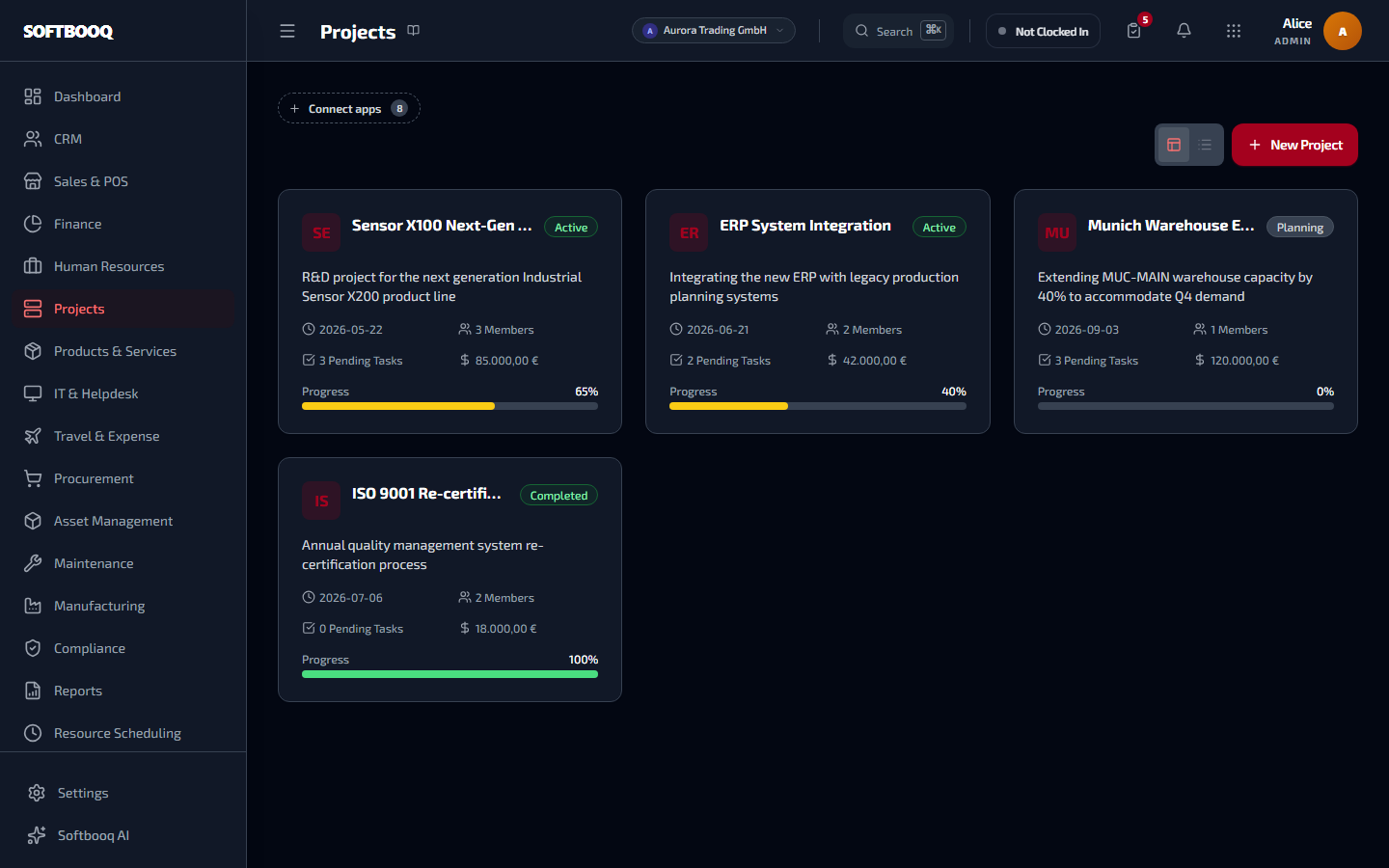
An unretouched screenshot from a live workspace.
01
Running the work
The delivery side, which most teams already have somewhere - the point here is that it is attached to the money.
Kanban board for tasks
Drag work between statuses, with the same records driving the timeline and the contract milestones underneath rather than three views maintained separately.
A timeline built from the same tasks
Dates and dependencies as a Gantt view of the work already on the board, so the plan and the doing cannot diverge.
Who is on it and what they cost
Project team membership tied to employee records, so assigning someone brings their rate and their availability with them.
Keep the tracker you already use
Two-way task sync with Asana and Trello, with Jira, Linear and Microsoft Planner coming soon. Delivery can stay where the team likes it while the cost and billing live here.
02
What it is costing you
Project cost is not one number from one place, which is exactly why it is usually wrong.
Spend from four sources, not a maintained figure
Finance expenses, travel expense reports, purchase orders and vendor bills aggregated per month against the project. Nobody keeps a cost total by hand, so nobody forgets to.
Labour at each person real cost rate
Hours worked priced at the individual employee cost rate rather than a blended average, because a blended rate hides which work is actually expensive.
Margin per project and per client
Revenue from the project invoices less the cost of delivering it. A management view over posted invoices, expenses and approved timesheets, so it holds under any accounting standard.
Forecast that warns before the budget goes
Spend to date projected forward with a severity, so an overrun surfaces while there is still a decision to make rather than at the point of explaining it.
The financial picture on the project itself
Budget, committed, actual and revenue in one place on the project, instead of a finance export somebody reconciles monthly.
03
Getting paid for it
Delivery software usually stops at the invoice request. This carries on to the money.
Billing milestones on the project
Define what triggers a payment and what it is worth, so billing follows the agreement rather than the end of the month.
A payment link per milestone
Generate a Stripe link for a milestone so the client can settle it directly, without a chase and without the delay of a separate invoice run.
Completing a task advances the contract
A project task tied to a contract milestone marks that milestone complete when the work is done - which is what raises the invoice, so delivery and billing stay in step.
Billable time becomes an invoice line
Approved billable hours flow into Finance as lines to bill, so the gap between hours worked, hours billable and hours actually invoiced is visible instead of assumed.
The details that took the longest
Small decisions you only make after getting them wrong.
Every one of these is a specific behaviour, chosen for a specific reason. They are the difference between software that demos well and software that survives a year of month-ends.
A missing cost rate is shown, never invented
Hours worked by someone with no cost rate are reported as uncosted hours rather than priced at a guess or a company average. A fabricated rate makes the margin look precise and wrong; a visible gap makes it obviously incomplete, which is the version you can act on.
Profitability is a management view, deliberately
It reads posted invoices, expenses and approved timesheets - never the statutory profit and loss. That separation is why it can be as opinionated as it needs to be while remaining correct under IFRS, GAAP or HGB alike.
Project cost has four sources because spending does
Expenses, travel claims, purchase orders and vendor bills all reach a project, and a system that counts only the ones raised inside the project module reports a number that is reliably too low.
Nothing is an island
What reaches Projects without anyone typing it again.
Every one of these is a real data path, not a promise of "full integration".
Before you ask
Questions people ask about Projects.
- Does it show the real cost of a project?
- Yes. Cost aggregates expenses, travel claims, purchase orders and vendor bills, with labour priced at each employee individual cost rate.
- What happens if an employee has no cost rate set?
- Their hours are reported as uncosted rather than priced at a guess, so the gap is visible instead of quietly understating the cost.
- Will it warn me before a project goes over budget?
- Yes. Spend to date is projected forward with a severity so the overrun appears while there is still a decision to make.
- Can clients pay a milestone directly?
- Yes, through a Stripe payment link generated for that milestone.
- Can I keep using Asana? And Jira (coming soon)?
- Asana, yes: tasks sync both ways with Asana and Trello. Jira, Linear and Microsoft Planner are coming soon.
- Does project profitability affect my statutory accounts?
- No. It is a management view over posted invoices, expenses and approved timesheets, kept separate from the statutory profit and loss.
Where to look next.
All 18 modulesSee Projects with your own numbers in it.
Start a free 30-day trial. No card required. Try every module on Softbooq Pro from day one.