 Softbooq
Dashboard & Alerts
Softbooq GoThe morning check that replaces opening six tabs.
Cash position, overdue invoices, what is waiting on your approval and what is happening today - on one screen each person arranges for themselves, built from the same records everything else uses.
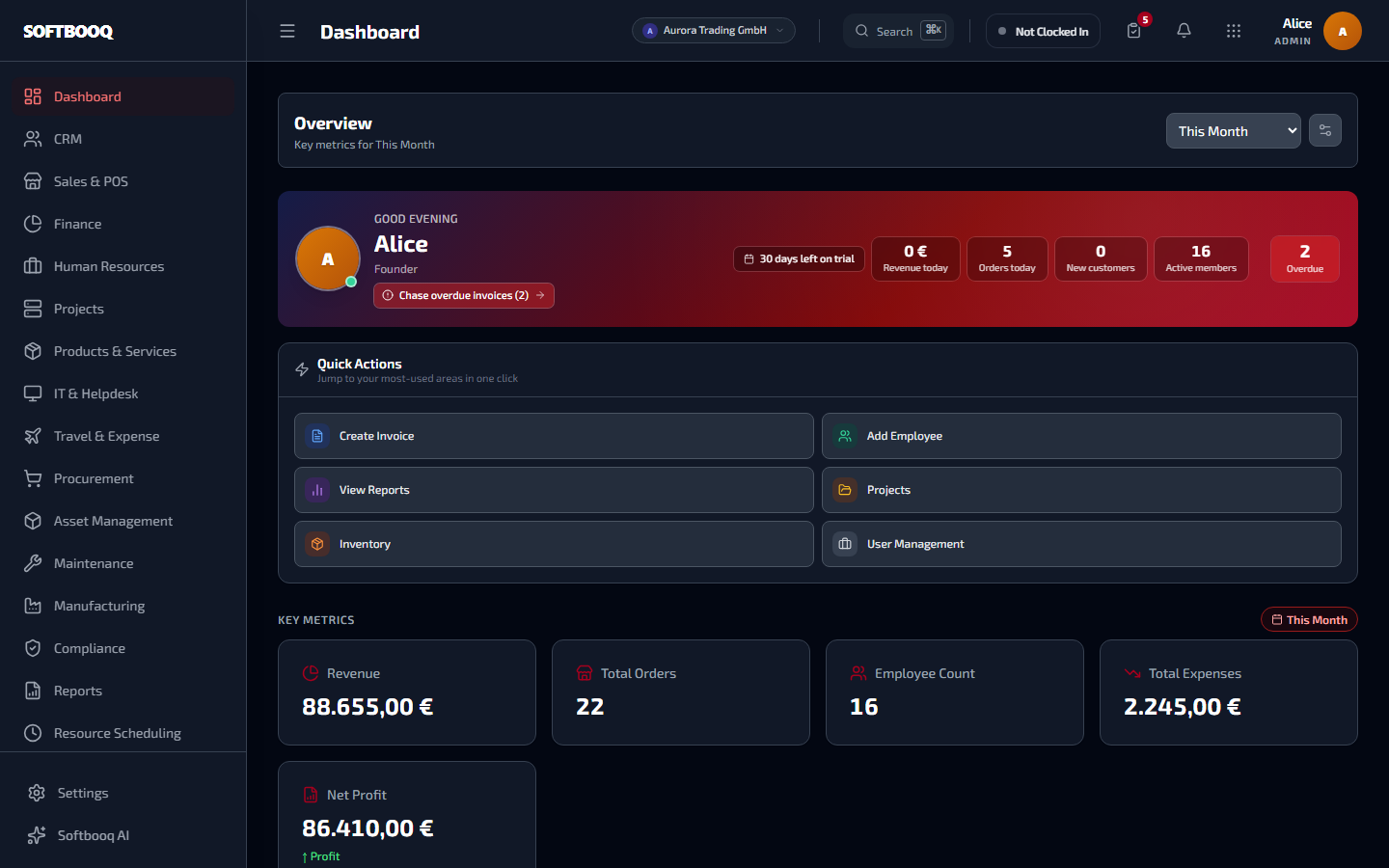
An unretouched screenshot from a live workspace.
01
Yours, not the company average
A dashboard designed for everyone is a dashboard nobody reads twice.
Widgets you arrange
Show, hide and reorder per user, so a finance lead and a warehouse supervisor open the same app and see different things without an administrator configuring it.
Sensible defaults per role
Each role starts from a set that suits it, so a new person sees something useful before they have customised anything.
Capped by permission, not by convention
A widget a role has no permission for is never offered, so the dashboard cannot become a way around access control.
A personal view as well as a company one
What is assigned to you, due from you, and waiting on you - separate from the business-wide numbers.
02
The numbers worth checking daily
Four things decide whether today is normal, and they come from the ledger rather than a cache.
Cash position and runway in days
Read from your real money locations in the ledger, including cash accounts, then set against month-to-date spend - not from a stored balance field that drifts.
Overdue receivables, bucketed
What is owed at 0, 30, 60 and 90 days, with a click through to the invoices behind each band.
Approve without leaving the page
Vendor bills, purchase orders, expenses and leave waiting on you in one queue, writing back through the same service the module itself uses.
Everything happening today
Tasks due, meetings and calls booked, and trips departing - drawn from projects, CRM and travel rather than a separate list to maintain.
Integration failures announce themselves
A strip appears when a connected provider reports a failed sync and stays hidden when everything is healthy, so you hear it from the app rather than the partner.
The details that took the longest
Small decisions you only make after getting them wrong.
Every one of these is a specific behaviour, chosen for a specific reason. They are the difference between software that demos well and software that survives a year of month-ends.
The dashboard cannot leak what the role cannot see
Widget availability is capped by permission before any default is applied. A summary tile is still data, and a system that lets a dashboard surface figures the module would refuse has an access-control hole with a friendly face.
The cash figure comes from money locations, not a balance column
Stored balances drift the moment anything writes without updating them. Reading the actual ledger positions means the number on the dashboard is the number in the books.
Nothing is an island
What reaches Dashboard without anyone typing it again.
Every one of these is a real data path, not a promise of "full integration".
Before you ask
Questions people ask about Dashboard.
- Can each person have a different dashboard?
- Yes. Widgets can be shown, hidden and reordered per user, and each role starts from a suitable default.
- Could someone see figures they should not?
- No. Widget availability is capped by permission, so a widget a role cannot access is never offered.
- Where does the cash figure come from?
- From the money locations in your ledger, including cash accounts, rather than a stored balance that can drift.
- Will I know if an integration stops syncing?
- Yes. A health strip appears when a connected provider reports a failed sync.
Where to look next.
All 18 modulesSee Dashboard with your own numbers in it.
Start a free 30-day trial. No card required. Try every module on Softbooq Pro from day one.